Your site has broken links right now. You just don’t know where they are.
Every page that returns a 404 wastes crawl budget, kills link equity, and signals to Google that your site isn’t maintained. The damage isn’t one dramatic ranking drop – it accumulates month over month, silently. The sites that outrank you at DR 30–40 aren’t necessarily publishing more content. They’re maintaining better infrastructure.
This post covers exactly how to find broken links on a website, which tools cut the work down to under an hour, and how to prioritise what you fix first so you’re not chasing noise. If you’ve never run a broken links test on your domain, this is where to start.
What are Broken Links in SEO?
A broken link is any hyperlink that leads to a URL returning an error – most commonly a 404 (page not found) or 410 (permanently removed). Understanding what are broken links in SEO matters because the damage is both technical and strategic: they’re a crawlability problem, a link equity problem, and a credibility problem at the same time.
When Googlebot follows a broken link on your site, it consumes a crawl slot and gets nothing in return. For smaller sites in the 15–40 range in the DR, every crawl slot counts. Wasted slots mean less frequent indexing of your actual content – the pages you want ranking.
There’s also the equity angle. According to Ahrefs, over 66% of backlinks pointing to websites eventually lead to dead pages. If external domains are linking to URLs on your site that now return 404s, that inbound link equity is going nowhere. It’s not passing to any page. It’s dead.
3 Types of Broken Links on a Website
What are broken links on a website – and which category each one falls into? Knowing the answer determines which tool to use and what the fix actually looks like. Not all broken links cause the same problem, and fixing the wrong type first wastes time.
Type 1: Internal Broken Links
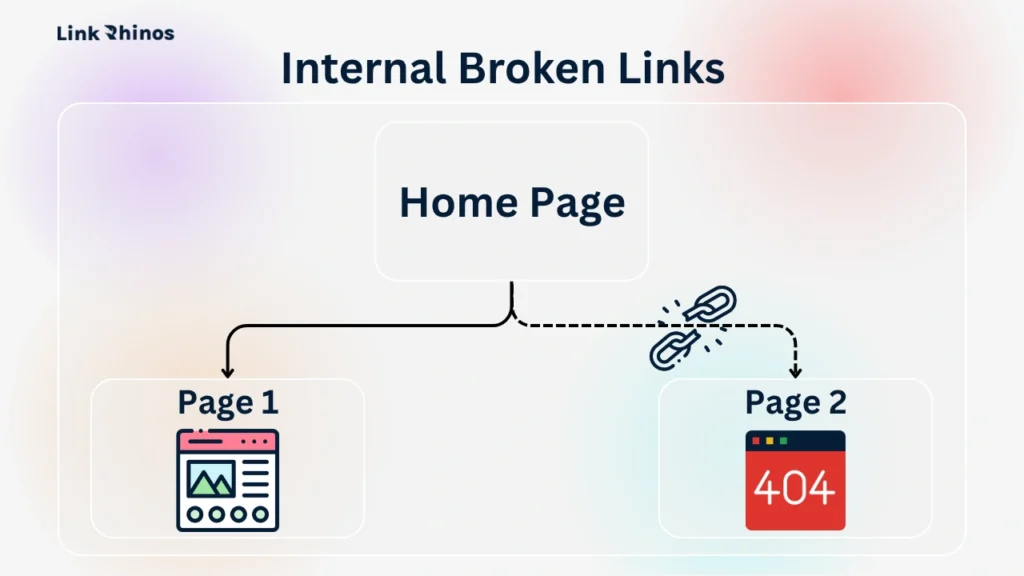
Internal broken links point from one page on your domain to another that no longer exists. These happen most often after a site restructure, URL slug change, or when old content gets deleted without updating the links pointing to it.
They directly interrupt crawl paths and break the internal link equity flow between your own pages. A solid internal link structure depends on these being clean – when they aren’t, Googlebot hits a dead end where it expected to find a connected page.
Type 2: External Broken Links
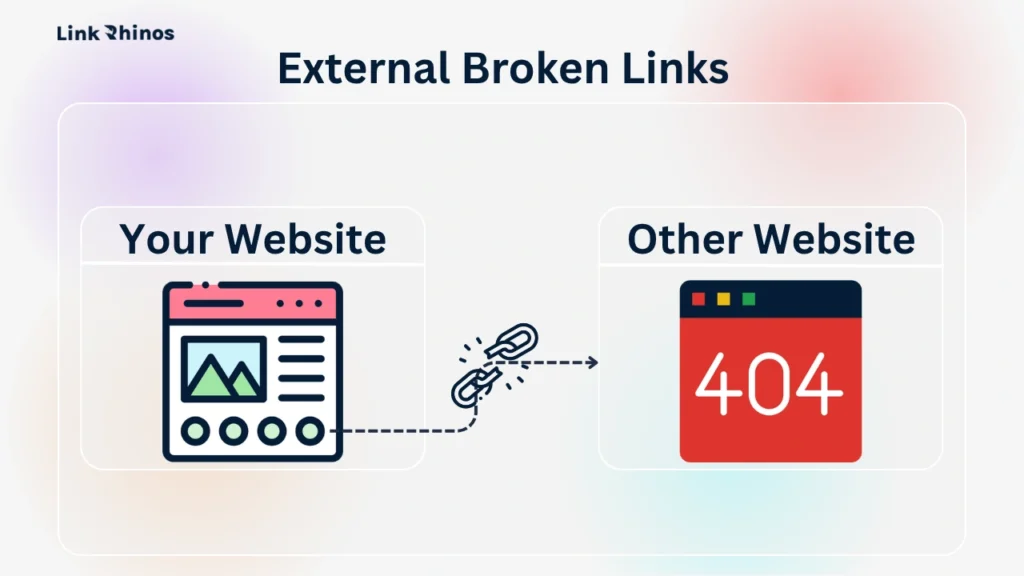
External broken links are outbound links from your content pointing to third-party URLs that have gone dead. The source page – a reference, a cited study, a tool recommendation – no longer exists on the external site.
These don’t hurt your crawl budget directly, but they do hurt credibility. A resource page with five dead outbound links signals an unmaintained site to both users and link partners evaluating your domain before agreeing to an exchange.
Type 3: Inbound Broken Links (Broken Backlinks)
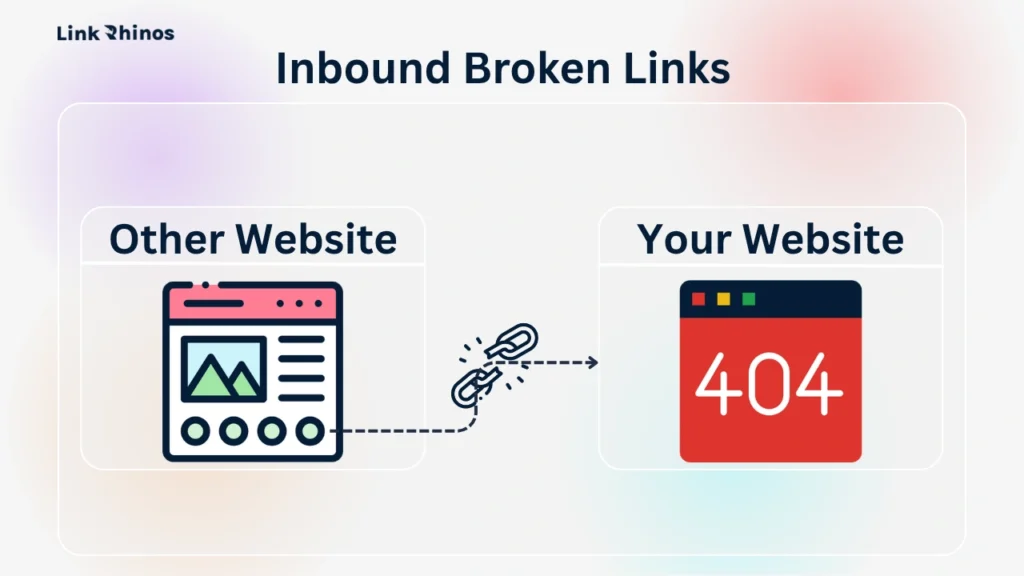
Inbound broken links are the most valuable type to detect broken links for, and the most overlooked. These are links from other websites pointing to pages on your domain that now return a 404 or 410 error.
Every one of these represents link equity you’ve already earned from an external domain. That equity isn’t going to a competitor – it’s going nowhere. It’s sitting dead because the destination URL no longer exists. A 301 redirect to the nearest live page is often all it takes to recover it.
Understanding which type you’re dealing with determines which tool to use and what the fix looks like.
5 Tools to Find Broken Links on a Website
Tool 1: Google Search Console
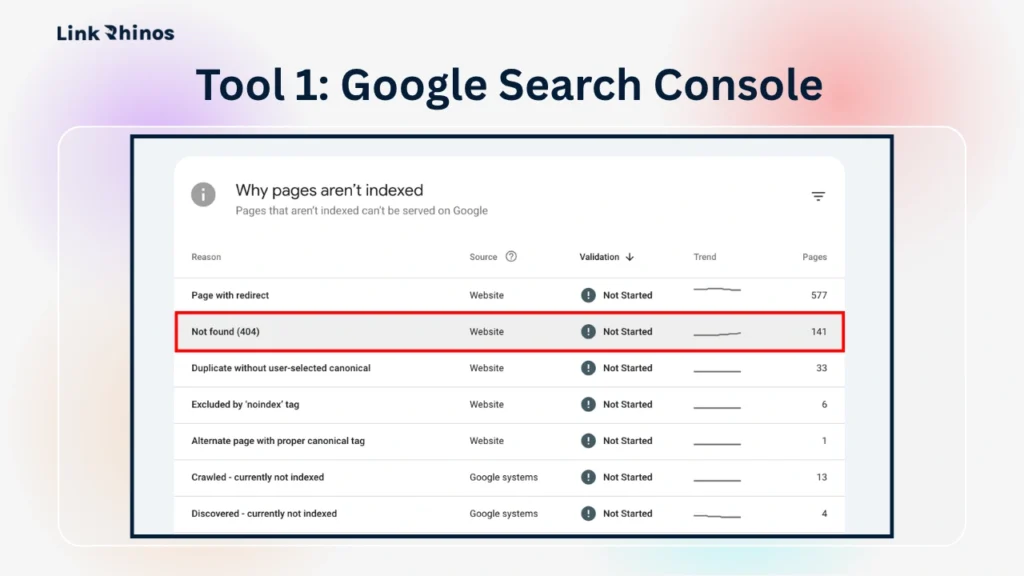
The fastest free approach – Google Search Console find broken links using real Googlebot crawl data, not a simulation.
How to use it:
- Step 1: Go to Pages > Not Found (404) in your Search Console account.
- Step 2: Review every URL Googlebot flagged as a crawl error.
- Step 3: Export the full list as a CSV.
- Step 4: Cross-reference with your Coverage report to see whether each broken link is internal or external.
Run the Google Search Console find broken links report before opening any paid tool – it’s free, takes 10 minutes, and shows you exactly what Google cares about.
Tool 2: Ahrefs Site Audit
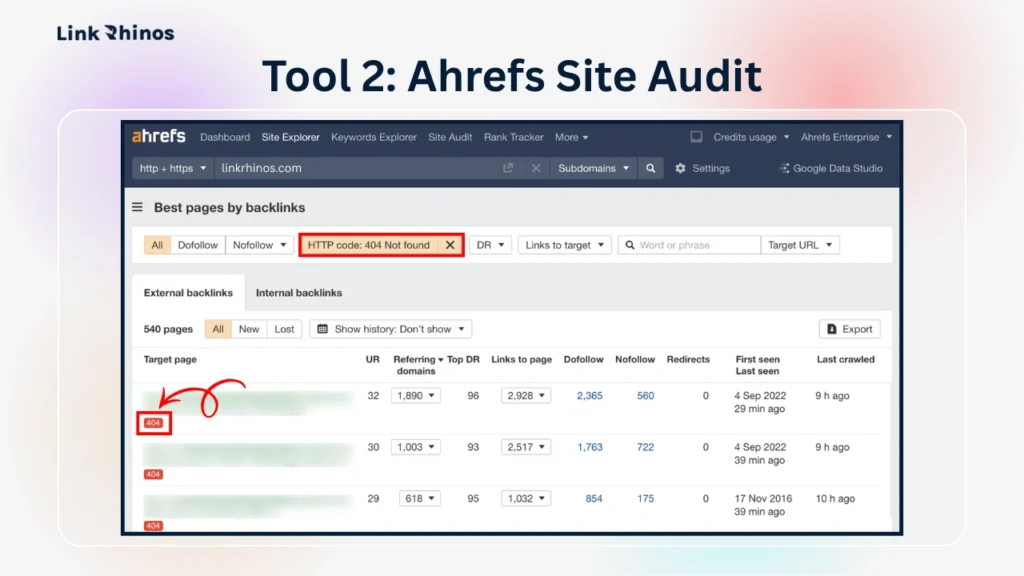
The most complete way to detect broken links at scale – internal, external, and inbound backlinks all in one crawl.
How to use it:
- Step 1: Run a crawl under Site Audit > Internal Pages.
- Step 2: Filter for 4XX errors to see every broken internal link with its source URL.
- Step 3: Go to Backlink Analysis > Broken to find external domains linking to dead pages on your site.
- Step 4: Export the broken backlink list and prioritise by referring domain authority.
Redirect each dead URL to its nearest live equivalent. For anyone actively doing link exchange outreach, run this report quarterly.
Tool 3: Screaming Frog SEO Spider
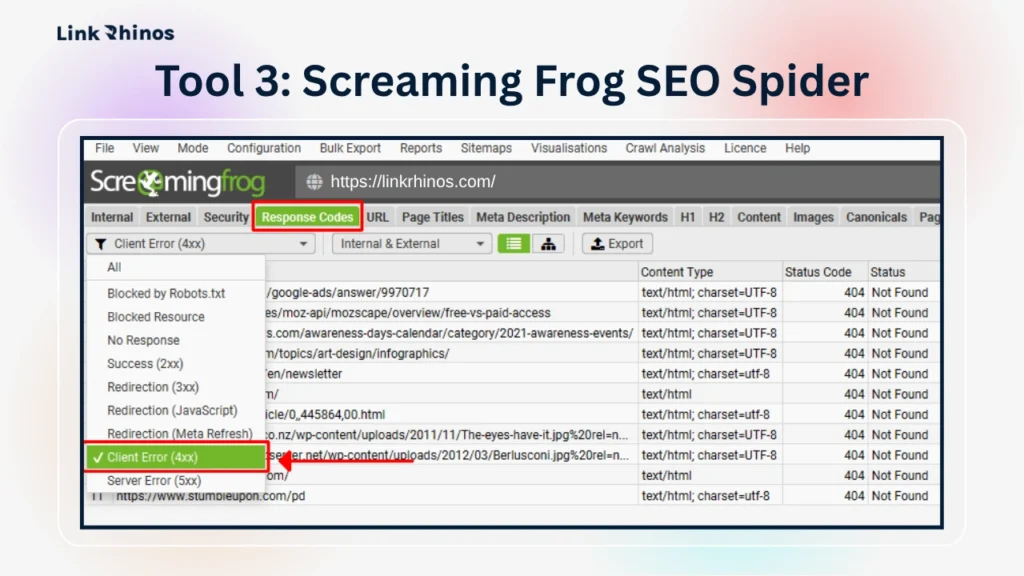
For full-site coverage, Screaming Frog broken links show up with source URL, anchor text, and status code for every dead link across your domain. The free version handles up to 500 URLs.
How to use it:
- Step 1: Enter your domain URL and run the crawl.
- Step 2: Go to Response Codes > Client Error (4xx).
- Step 3: Review every broken link alongside the page it originates from and the anchor text used.
- Step 4: Export the list with source URLs for easier triage.
Run a broken links test here after any site migration or restructure – Screaming Frog broken links go deeper than Search Console, catching dead URLs in older posts Googlebot hasn’t recrawled recently.
Tool 4: SEMrush Site Audit
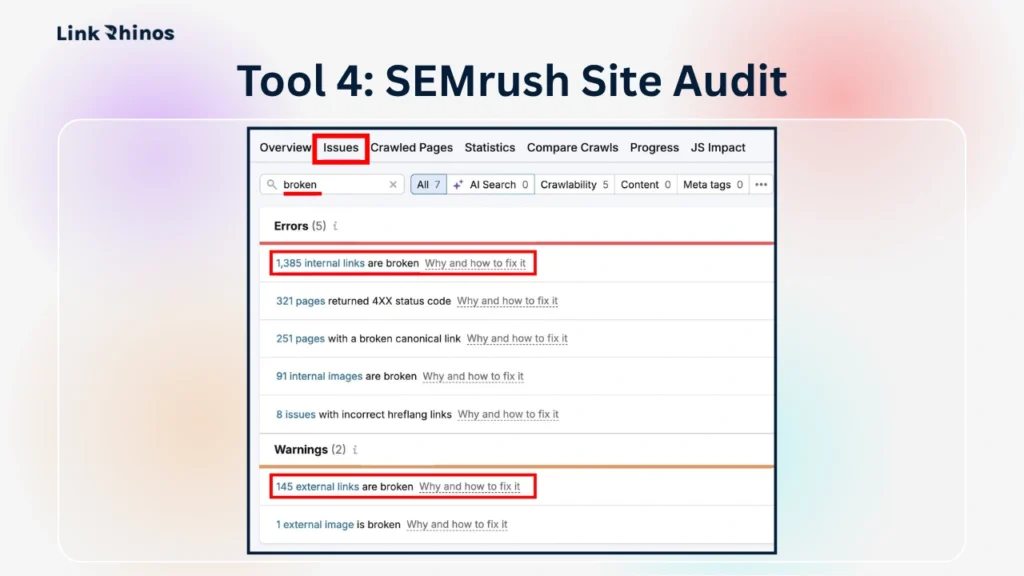
SEMrush find broken links reports through the Site Audit module – every internal and external 4XX error is flagged with a severity score inside the same dashboard you already use.
How to use it:
- Step 1: Run a site crawl under Site Audit.
- Step 2: Go to Issues and filter by “Broken internal links” or “Broken external links”.
- Step 3: Review the prioritised list with source URLs for each broken link.
- Step 4: Fix or redirect the flagged URLs starting from highest severity.
Use the crawl comparison feature to run a second audit snapshot – SEMrush find broken links data here shows exactly which new broken links appeared since your last check, making it the most practical option for ongoing monthly maintenance.
Tool 5: W3C Link Checker
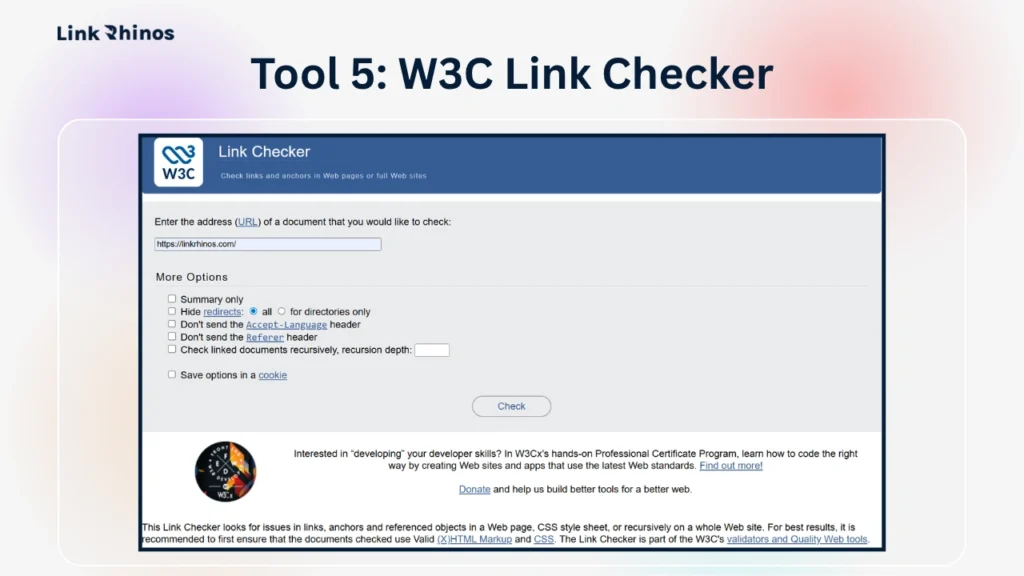
A reliable free tool to find broken links on website for page-by-page spot-checks. Best used before publishing or updating high-traffic landing pages.
How to use it:
- Step 1: Go to validator.w3.org/checklink.
- Step 2: Paste the URL of the page you want to check.
- Step 3: Run the checker – it surfaces every dead outbound link from that single page.
- Step 4: Fix or remove any broken external links flagged before you publish.
For site-wide checks, use Screaming Frog’s free tier instead – W3C is limited to one page at a time and is not a tool to find broken links on website at scale.
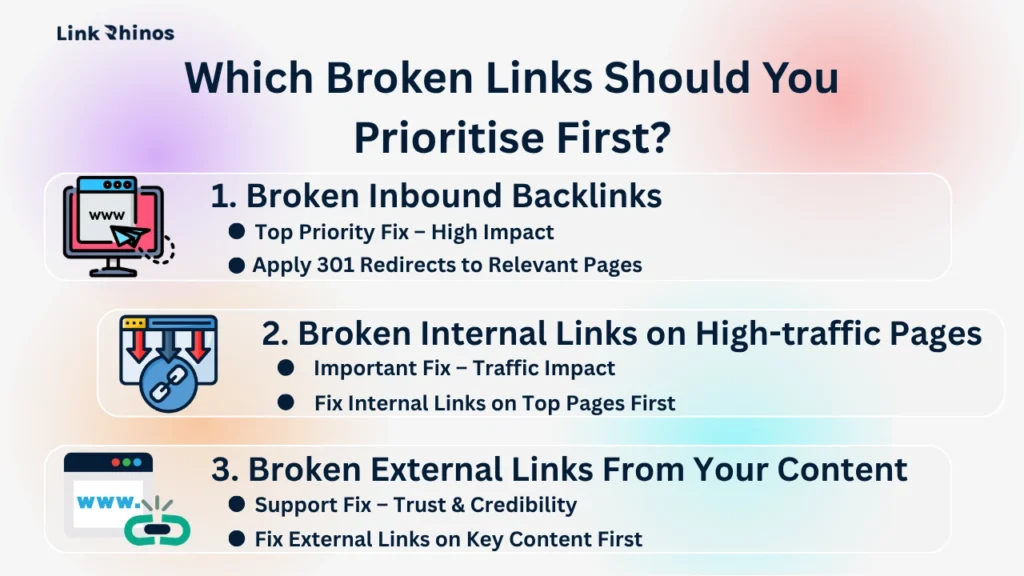
Which Broken Links Should You Prioritise First?
Once you know how to find broken links on a website, the next challenge is triage. A full crawl on an established site will return dozens – sometimes hundreds – of broken URLs. Working through them randomly wastes time.
Priority 1 – Broken Inbound Backlinks
These are the highest-ROI fixes available. An external site already links to your domain – the equity is there, just going nowhere. 301-redirect every dead URL to its nearest live equivalent, and that referring domain’s link starts passing authority again. Use Ahrefs to detect broken links of this type first.
Priority 2 – Broken Internal Links on High-traffic Pages
Cross-reference your Screaming Frog broken link search results against Search Console’s performance data. A broken internal link on a page pulling 2,000 visits/month is a more urgent problem than one buried in a three-year-old post. Fix internal links on your top-20 pages first.
Priority 3 – Broken External Links From Your Content
Won’t tank rankings directly, but will hurt credibility with users and with link partners validating your site before agreeing to an exchange. Prioritise your most-linked-to content when cleaning these up.
How Regular Broken Link Audits Affect Your Link Exchange Results
There’s a less-discussed reason to check broken links on your site consistently: it directly affects how link exchange partners evaluate your domain.
When a prospective partner reviews your site before agreeing to an exchange – and good partners always do – they’re checking for exactly this: 404 pages, broken internal navigation, and dead outbound links. A site with a high number of broken links signals poor maintenance, which translates to risk in their mind.
If your site has a clean crawl report and a healthy internal link audit score, you’re a more attractive exchange partner. This matters more at DR 20–35 than people realise – the tier where partner quality still varies significantly.
The Bottom Line
Broken links are a maintenance issue that becomes a compounding SEO problem the longer they’re ignored. Knowing how to find broken links on a website is only half the equation – running the audit on a recurring schedule is what separates maintained sites from stagnant ones. The tools are either free or already in your stack.
Once your house is clean, the work of building quality backlinks becomes significantly more effective.

Broken link cleanup gets your site exchange-ready – but you still need the right partners. LinkRhinos matches SaaS sites with vetted, niche-relevant link partners so every exchange lands on a maintained, audit-ready domain – no cold outreach required → linkrhinos.com/register.