You run a content audit. Everything looks fine. Then you pull a crawl report and find 30-something internal links pointing to pages that no longer exist. Some of those pages were linked from your best-performing posts. Some were sitting there dead for over a year.
The pages are still getting crawled. The equity is still flowing. All of it stopped at a 404 that was one redirect away from being fixed.
This post answers three things directly: what is a broken internal link, how to find broken internal links across your site without guessing, and how to fix broken internal links systematically – so the same problem doesn’t come back six months later.
What is a Broken Internal Link
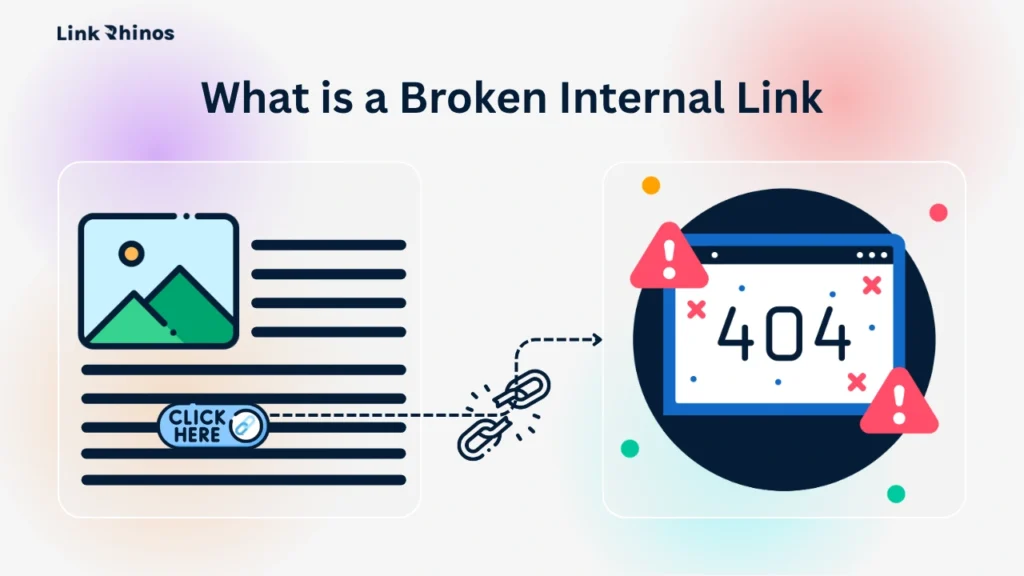
A broken internal link is a hyperlink that points from one page on your domain to another page on the same domain – and that destination no longer exists or returns an error. The visitor (or Googlebot) follows the link and hits a dead end: a 404, a redirect loop, or a server error.
This is different from a broken external link, which points off your site entirely. A broken internal link is your own infrastructure, fully under your control, silently failing. If you want to understand how both types affect your rankings together, our guide on how broken links damage SEO rankings covers the full picture.
What It Costs You
The SEO Cost is Specific
When Googlebot crawls a broken internal link, it burns crawl budget on a URL that returns nothing. The PageRank that would have flowed to the destination page stops dead. If that destination had ranking authority – from backlinks, from traffic, from internal equity – that authority is now untethered.
The User Cost is Immediate
For visitors, clicking a dead link mid-article ends the session. That’s a bounce you caused yourself, on a page you wrote, from a link you placed. According to Ahrefs data, 68.7% of websites have at least one broken internal link. On sites that have gone through even one URL migration, that number exceeds 80%.
Key Reasons for Broken Internal Links
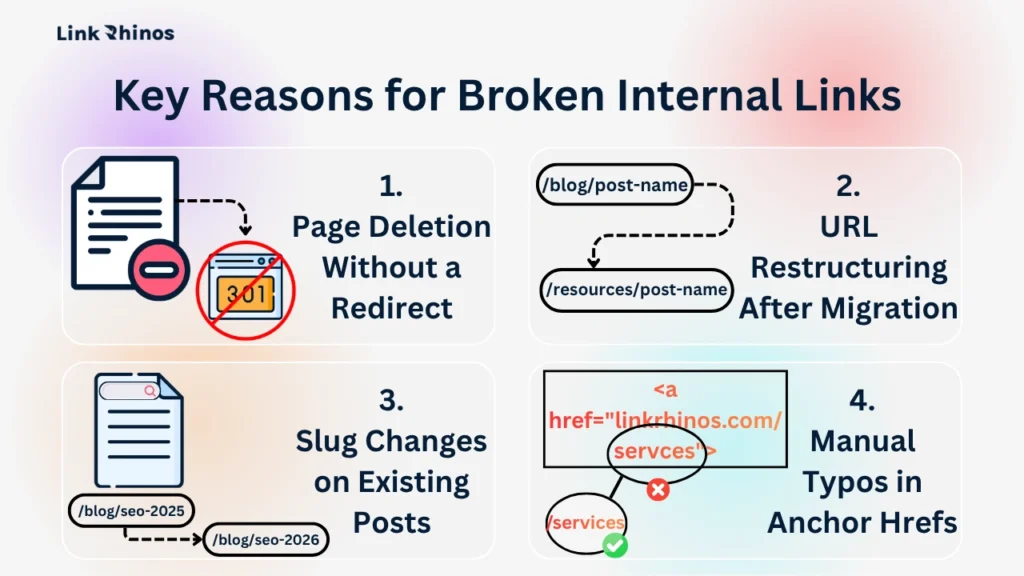
Understanding the cause determines the fix. Broken internal links typically fall into four parts:
Reason #1: Page Deletion Without a Redirect
You removed a product page, a tag archive, or an old blog post – and forgot that 12 other posts still link to it. This is the most common cause by a wide margin. No redirect means every link pointing to that URL now returns a 404.
Reason #2: URL Restructuring After Migration
You moved from /blog/post-name to /resources/post-name. Old links still point to the old path. Without a 301 redirect in place, every one of those is now a broken internal link – and a bulk migration can create dozens at once.
Reason #3: Slug Changes on Existing Posts
Updating a post’s URL for SEO purposes – changing it from /seo-tips-2022 to /seo-tips-2026 – silently breaks every internal link pointing to the old slug. The post is live. The content is fine. But every link coming in from other pages hits a wall.
Reason #4: Manual Typos in Anchor Hrefs
More common on sites where content is written directly in HTML or imported from third-party CMSes. A mistyped /servces/ instead of /services/ will return a 404 every time – and it won’t be obvious until someone runs a crawl.
Understanding which category your broken links fall into is the first step to knowing how to fix broken internal links the right way – whether that means setting up redirects, editing anchors, or tightening your publishing process. For sites on WordPress, our internal link structure guide covers how to set up cleaner URL conventions that prevent this from recurring.
4 Tools to Find Broken Internal Links
Knowing how to find broken internal links is the first step to fixing them. Four tools handle this well, each with different levels of coverage and actionability.
Tool #1: Ahrefs Site Audit
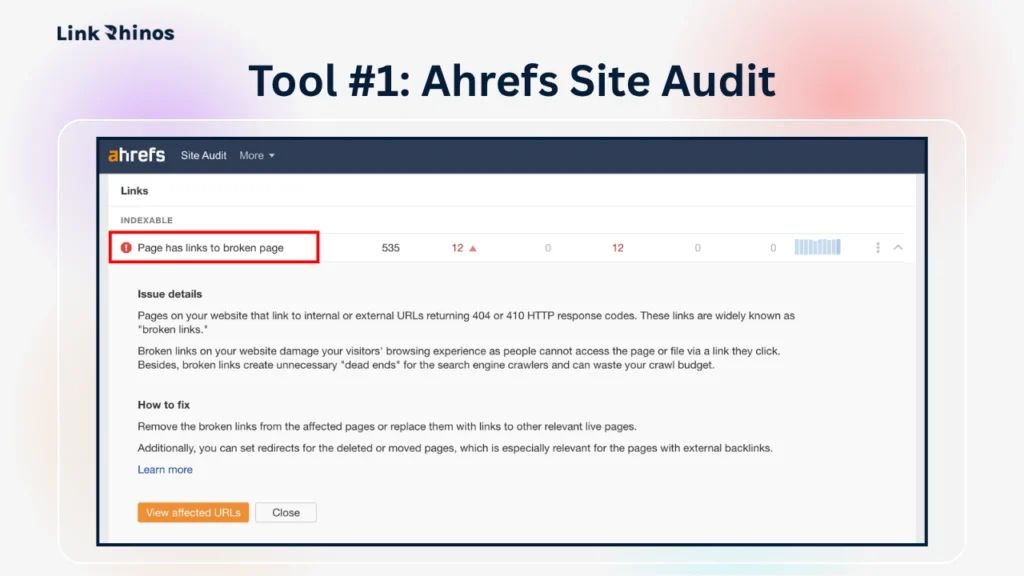
Ahrefs is the most actionable option for solving issues because it shows you both the broken URL and the source page linking to it, which is the exact data you need to fix efficiently.
How to use it:
- Step 1: Log in to Ahrefs and go to Site Audit. Set up a new project for your domain if you haven’t already, then run a fresh crawl.
- Step 2: Once the crawl completes, go to Internal Pages and filter by HTTP status code 4XX. This returns every internal page returning a 404 or similar error.
- Step 3: Click into any broken URL to see the full list of source pages linking to it. Export this report – it becomes your fix list. Their Site Audit tool updates on a schedule you control, so you can automate monthly checks.
Tool #2: Screaming Frog SEO Spider
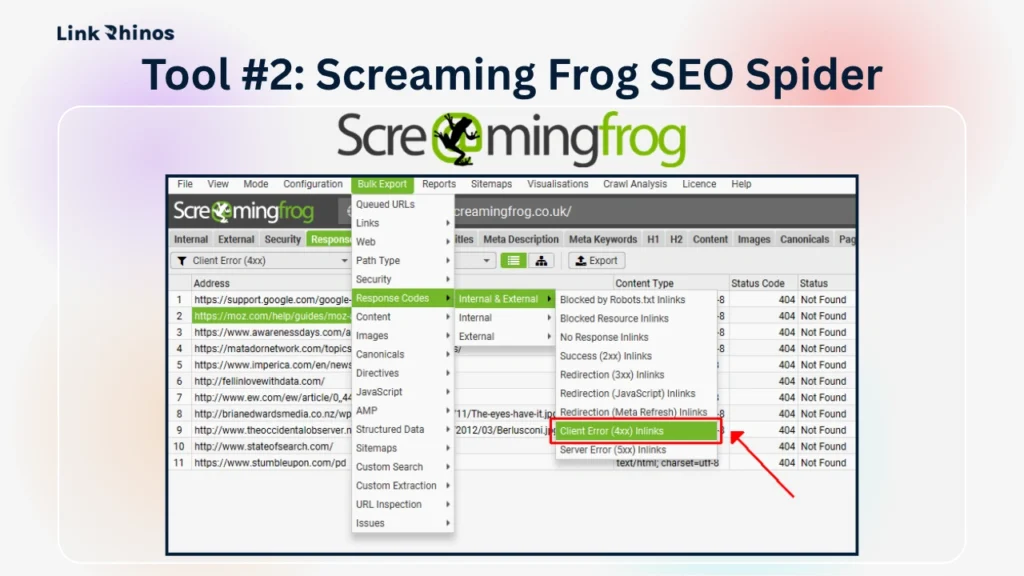
The most complete option for a raw full-site crawl. The free tier handles up to 500 URLs – enough for most SaaS sites. Paid tier removes that cap entirely.
How to use it:
- Step 1: Download and open Screaming Frog. Enter your domain in the search bar and hit Start. Let it crawl your full site – this typically takes 5–15 minutes, depending on page count.
- Step 2: Once complete, click the Response Codes tab at the top. Then use the filter dropdown to select Client Error (4XX). Every URL listed here is returning a 404 or similar broken response.
- Step 3: Select all rows and export as CSV. Open the file and look at the Inlinks column – this tells you which pages contain the broken anchor. That’s your editing queue.
Tool #3: Google Search Console
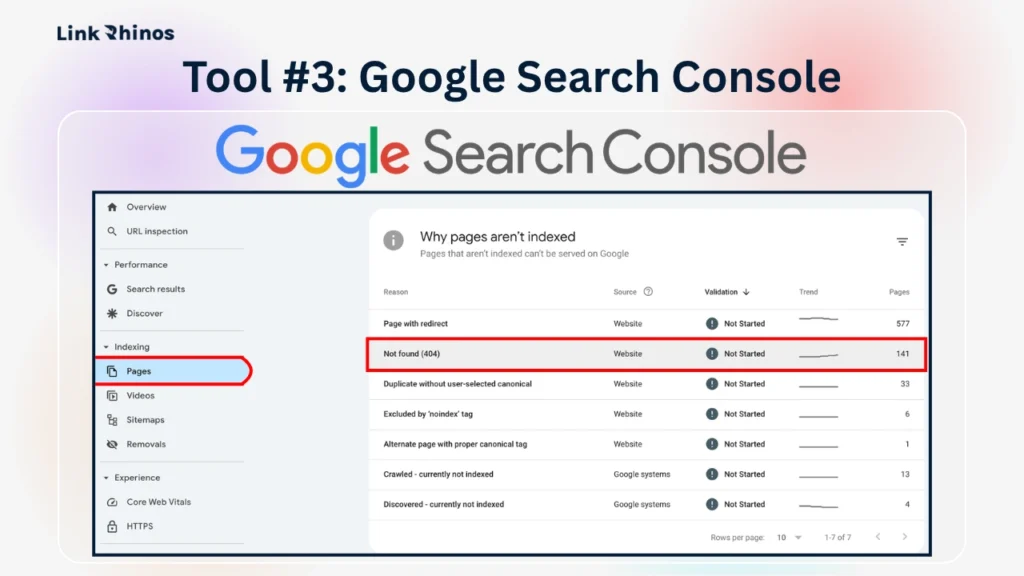
GSC doesn’t replace a dedicated crawl tool, but it confirms which broken URLs Google has already flagged and attempted to crawl. Use it to verify fixes, not to do the initial discovery.
How to use it:
- Step 1: Open Google Search Console and go to Pages (previously called Coverage) in the left sidebar. Look for the “Not found (404)” section under the Why pages aren’t indexed tab.
- Step 2: Click into Not found (404) to see the list of URLs Google has flagged. Note that this only surfaces URLs Google has already tried to crawl – recently broken links on low-traffic pages may not appear here for days or weeks.
- Step 3: Cross-reference these URLs against your Screaming Frog or Ahrefs export. Any URL appearing in both lists is a confirmed priority – Google knows about it, and it’s actively wasting crawl budget.
Tool #4: SEMrush Site Audit
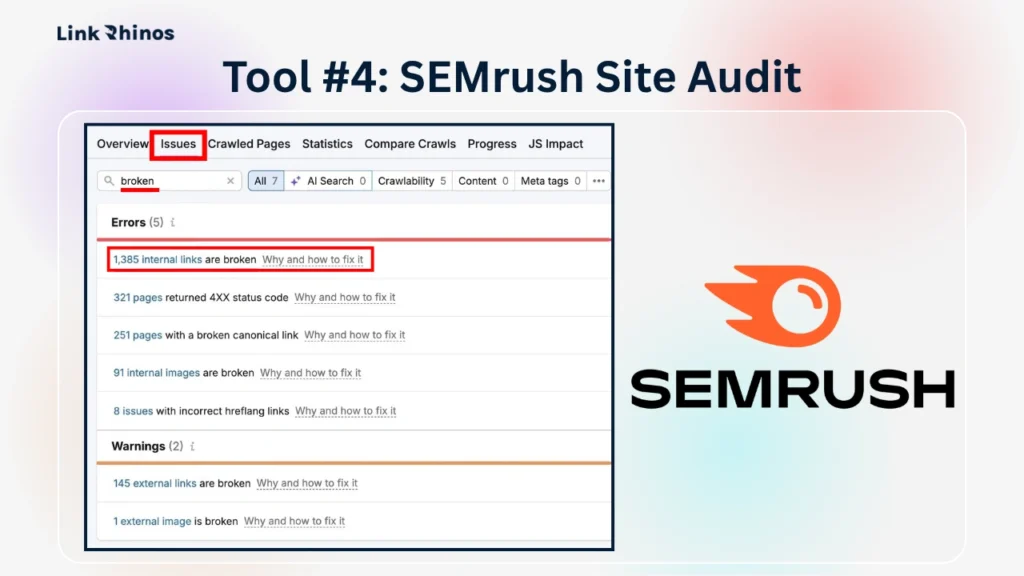
SEMrush is a strong alternative if you’re already using it for keyword research or rank tracking – no need to add another tool to your stack. The SEMrush broken links report surfaces both internal and external broken links in one place, making it useful for teams managing link building alongside technical SEO.
How to use it:
- Step 1: Log in to SEMrush and open the Site Audit tool from the left sidebar. Create a new project for your domain and configure the crawl settings – set the crawl scope to your full site and run it.
- Step 2: Once the audit completes, go to the Issues tab and search for “broken.” SEMrush find broken links by flagging them under two categories: internal broken links (same-domain) and broken backlinks (links from external sites pointing to dead pages on yours). Both matter – the internal ones cost you equity flow, the broken backlinks cost you referral authority.
- Step 3: Click through to the broken links SEMrush has flagged and export the report. The export includes the source URL, the broken destination, and the anchor text – everything you need to prioritize and fix. For broken backlinks, SEMrush also shows you the referring domain’s authority, so you can prioritize reclaiming links from high-DR sources first.
One thing SEMrush does that Screaming Frog doesn’t: it flags broken backlinks alongside internal issues in the same audit. If broken link building is part of your outreach strategy, this combined view saves a separate reporting step.
A regular internal link audit should be part of your quarterly SEO ops – not a one-time task you run after something breaks.
How Do You Fix Each Broken Internal Link?
Once you have the list of broken internal links and their source pages, the fix comes down to one of three approaches, depending on why the link is broken.
Fix #1: The Destination Page Was Permanently Deleted
Update the source page’s anchor to point to the most relevant live page instead. Don’t just delete the link – an anchor pointing to something useful keeps the equity flowing. Check what the deleted page was about and find the closest live equivalent. If nothing close exists, remove the anchor entirely.
Fix #2: The URL Changed During a Migration or Slug Update
Set up a 301 redirect from the old URL to the new one. This is the cleaner solution when multiple source pages link to the same broken destination – fix the redirect once, and all source pages are resolved simultaneously. On WordPress, the Redirection plugin handles this without touching .htaccess directly.
Fix #3: The Link Has a Typo in the Href
Edit the anchor href directly on the source page. This is a five-second fix once you find it. The more important question is how the typo got there – if it’s a pattern across your site, your content workflow needs a link validation step before publishing.
For a broader look at how your link equity is currently distributed – and where gaps exist – see how internal links can skyrocket your site’s SEO when structured deliberately.
How to Fix Broken Internal Links
Step 1: Run the Crawl
Open Screaming Frog or Ahrefs Site Audit and crawl your full site. Export all 4XX internal URLs. On most SaaS sites, this takes under 20 minutes. You can’t fix what you haven’t found, and guessing which links are broken is not a strategy.
Step 2: Prioritize by Source Page Authority
Sort the broken internal links by the URL Rating (Ahrefs) or estimated authority of the source page. A broken link from your homepage or a high-traffic pillar post costs more in lost equity than one from a low-traffic archive page. Fix the high-impact ones first.
Step 3: Fix, Verify, and Schedule Rechecks
Apply the right fix for each broken internal link – redirect, replace, or repair. Re-crawl the affected URLs after 48 hours to confirm the 404s are resolved. Log every fix: source URL, broken destination, fix type, date. Then set a calendar reminder to run the crawl again in 90 days. Knowing how to fix broken internal links is only half the job – the other half is making sure new ones don’t silently pile up again.
Bottom Line
Every broken internal link you leave unfixed is a slow drain on the authority you’ve already earned. Most SaaS sites that learn how to fix broken internal links properly – and actually schedule the check quarterly – rank more pages with the same backlink profile than sites that don’t. The fix is rarely complicated. The problem is that no one checks.

If you’re rebuilding internal equity and want high-quality external links pointing to the pages you just fixed, LinkRhinos matches SaaS sites with vetted, niche-relevant link partners – no cold outreach required → linkrhinos.com/register.