If you’re learning SEO, internal links SEO is one of the first things worth understanding properly. Internal linking SEO shapes how Google crawls your site, how authority flows between pages, and how clearly your content signals relevance – yet most sites consistently get it wrong without realising it.
This guide covers everything about internal linking in SEO: what is internal links, how Google uses them, the six types every site should use, and a concrete fix you can apply this week. Whether you’re looking for a quick internal link definition or a full breakdown of SEO internal linking, this guide has everything you need.
What is Internal Links
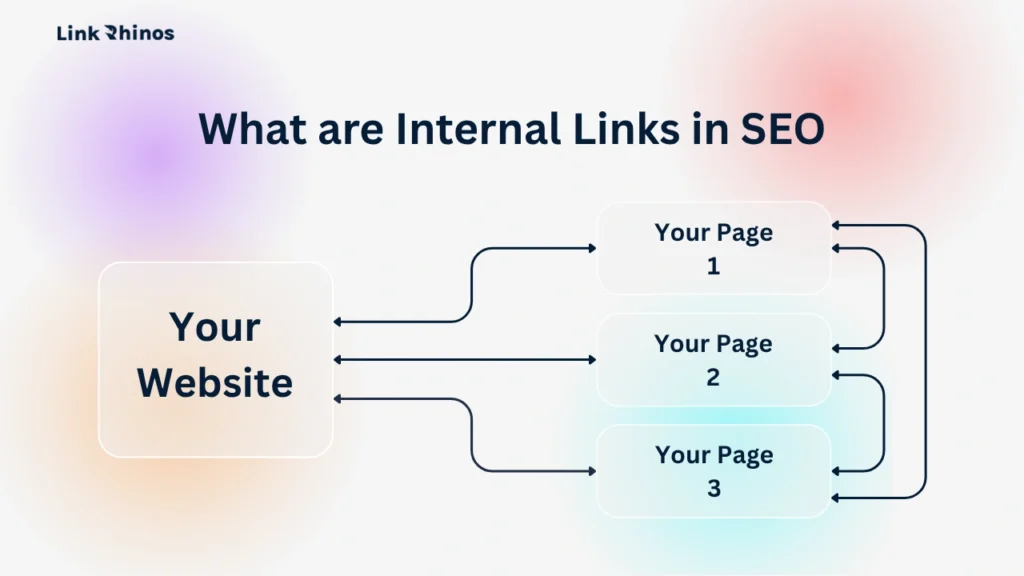
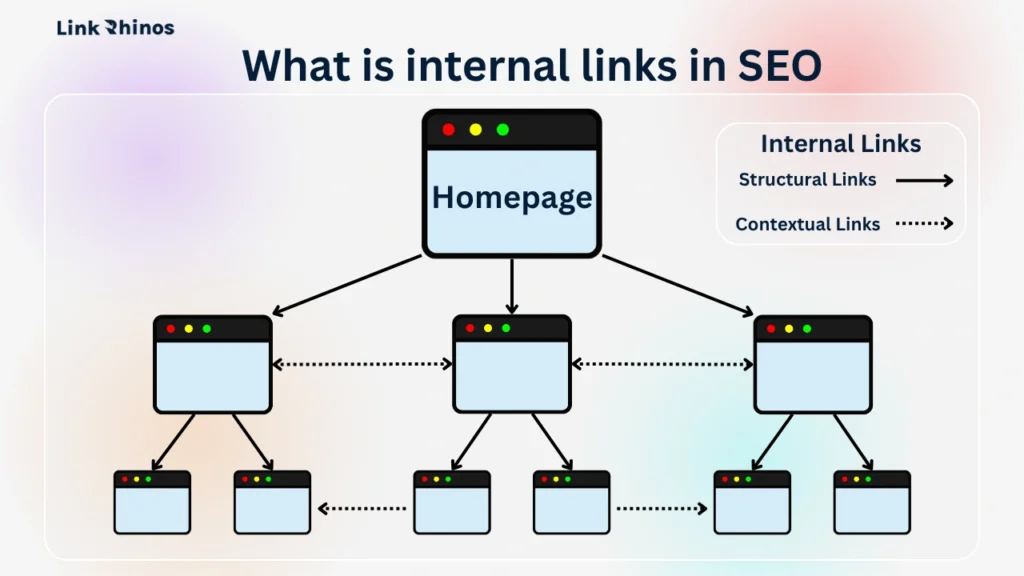
An internal link definition in its simplest form: a hyperlink that connects one page on your website to another page on the same website. When you click a link inside a blog post, and it takes you to another article on the same site, that is an internal link.
What are internal links in practice? They appear in navigation menus, within body content, in breadcrumbs, and in related post sections at the bottom of pages. Their job is threefold: to help search engines discover your pages, to signal how your content relates to each other, and to pass authority from your strongest pages to the rest of your site.
What is internal link when viewed through the lens of authority flow? Internal links are the pathways that move authority through your site. When a page earns backlinks from other websites, that authority lands on that page alone – it doesn’t spread automatically. Internal links are the streets that distribute it once it arrives.
Think of your site as a city: backlinks are the roads that bring traffic in, and internal links for SEO are the streets that determine where that traffic flows next.
How Internal Link Works
What is internal linking in SEO at a technical level? Most people treat internal links as a UX feature – a way to keep readers on the site. Google treats them as structural data. To fully understand SEO internal linking, you need to know the three things happening under the hood every time a link is placed.
This is where the internal links SEO strategy separates sites that compound their authority from sites that stall. Every link placement is either working for you or doing nothing at all.
Crawl Budget and Page Discovery
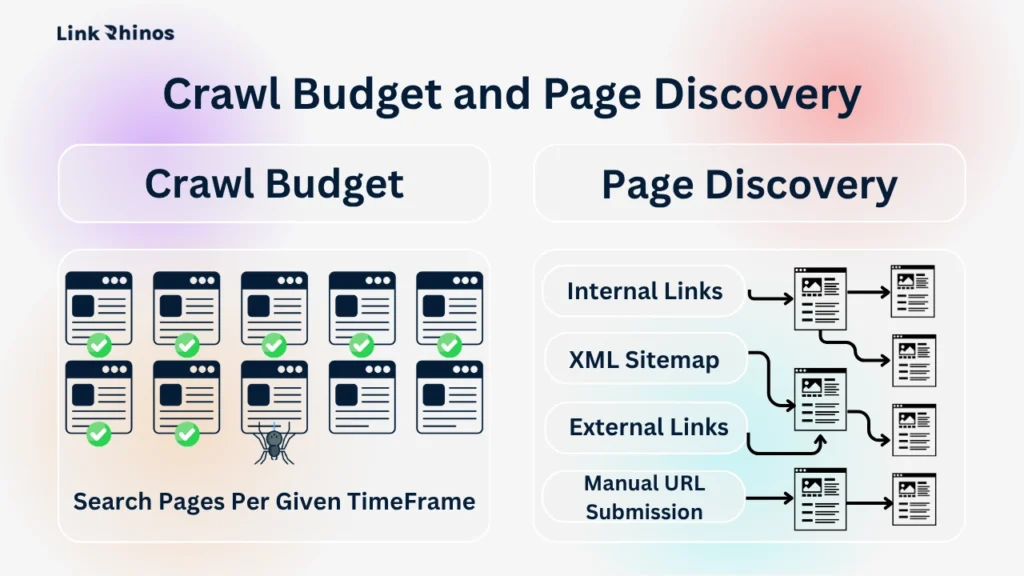
Every time Google visits your site, it can only process a limited number of pages per session – this is called crawl budget. It finds pages by following links.
Page discovery is how Google finds out a page exists. It happens through internal links, XML sitemaps, external backlinks, or manual URL submission in Search Console. Internal links are the most reliable of these – they work automatically every time you publish, with no external dependency.
If a page has no internal links pointing to it, Google has no path to reach it. That page gets crawled less often, indexed less reliably, and in many cases not ranked at all – no matter how good the content is. What is internal link in seo from a crawl perspective: a discovery signal that determines whether your page exists in Google’s eyes.
PageRank Flow
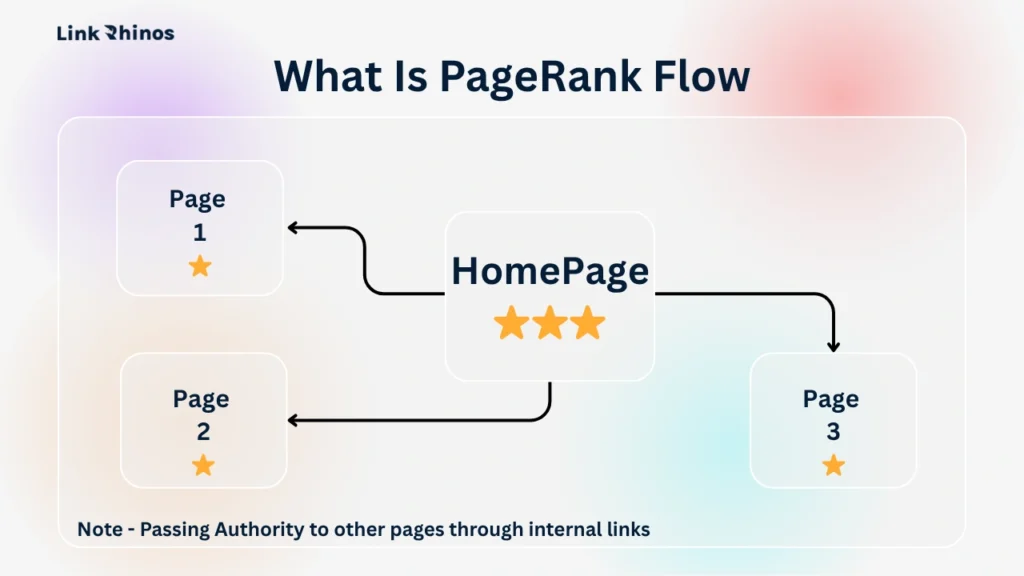
PageRank is Google’s way of measuring how authoritative a page is. The more quality backlinks a page earns, the higher its PageRank. But that authority doesn’t automatically spread to your other pages – it has to travel through internal links. When you internally link from a high-authority page to another page on your site, you’re passing a share of that authority forward.
Internal linking and SEO performance are inseparable at this level – no matter how strong your external backlinks are, authority that can’t travel through internal links stays locked on one page. Internal linking SEO done right means every new backlink you earn multiplies across your whole site, not just the one page it lands on.
Anchor Text as a Relevance Signal
The clickable text of your internal link – called anchor text – tells Google what the destination page is about. If you link to a page using the anchor “beginner’s guide to keyword research,” Google registers that as a topical signal for that destination page. This is what is internal link in seo at its most practical level: a relevance signal you control completely.
This matters because it adds relevant context on top of whatever the page title and content already say. A page with strong, descriptive internal link anchors pointing at it has a clearer topical identity in Google’s index – and that clarity helps it rank.
Why Are Internal Links Important for SEO
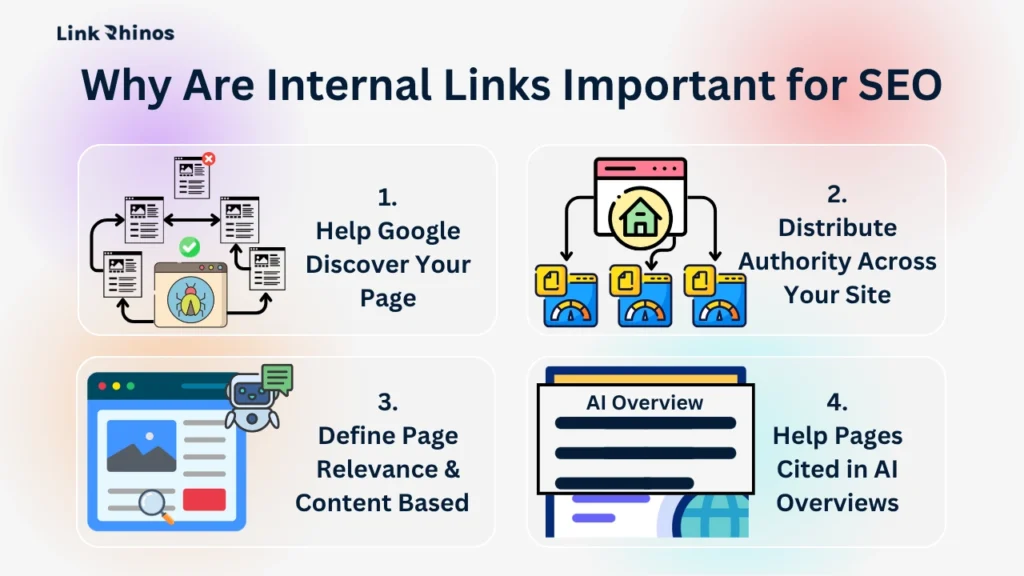
Do internal links help SEO? Absolutely – and in four distinct, measurable ways. Miss any one of them, and you’re leaving ranking potential on the table.
Internal links and SEO performance are deeply connected: from crawlability to authority distribution to topical relevance, every element of your search rankings is influenced by how well your internal link structure is built. The role internal links play in a site’s success is often underestimated until you see what happens when you fix it.
1. Help Google Discover Your Page
Google discovers pages by following links – not by magically scanning every corner of your site. When a page has no internal links pointing to it, Google has no path to reach it. That page becomes an orphan.
Orphan pages rarely get crawled, rarely get indexed, and rarely rank. It doesn’t matter how well-written or well-optimised the content is. A page Google can’t find is a page that doesn’t exist in search results.
2. Distribute Authority Across Your Site
Every time a page on your site earns a backlink, that authority sits on that one page. You have to move it through internal links. When you link from a high-authority page to another page, you’re passing a portion of that authority forward.
SEO internal links are the most cost-effective authority-distribution tool available – you already own every single one of them.
3. Define Page Relevance & Content Based On Anchor Text
Google reads the anchor text of your internal links as a relevance signal for the destination page. If you link to a page using the anchor “on-page SEO checklist,” Google registers that as a topical indicator – on top of what the page title and body content already say.
The more consistently and descriptively you link to a page internally, the clearer its topical identity becomes in Google’s index. That clarity is what helps a page rank confidently for the right search queries.
4. Help Pages Cited in AI Overviews
Google’s AI Overviews pull from pages that are well-connected and treated as authoritative within their topic cluster. Why are internal links important for seo in 2026: an isolated page – regardless of how good the content is – sits at a structural disadvantage against a well-linked one competing for the same query.
Connected pages get cited. Isolated pages don’t.
Types of Internal Links Every Website Should Use
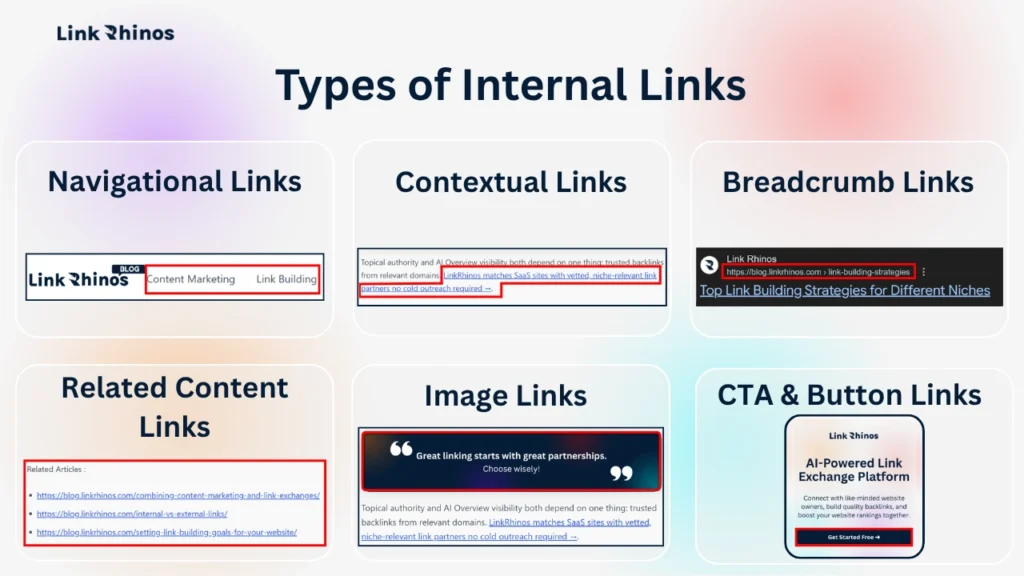
Understanding what is internal links in full means knowing there are six different types – and they don’t all carry the same SEO weight.
Internal linking for SEO works best when all six types are used together as a system. The sites that dominate with internal linking SEO aren’t just adding random links – they’re building a deliberate architecture around each type.
Navigational Links
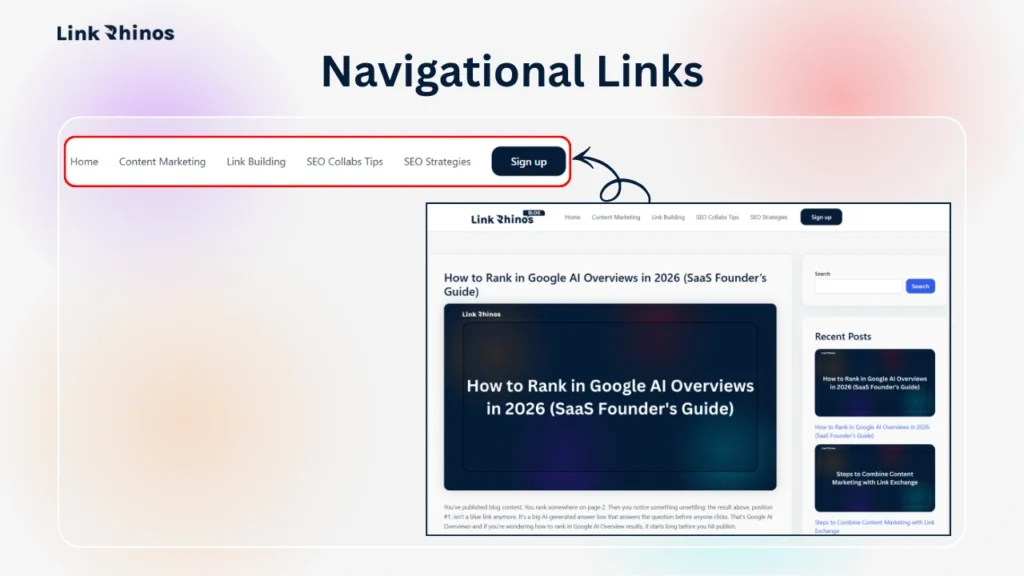
These live in your header, footer, and sidebar and appear across your entire site. Because they’re on every page, they pass consistent equity – but that equity is spread thin since Google sees them as site-wide links rather than editorial endorsements.
Reserve navigational links for your most strategically important pages: homepage, top-level category pages, and your highest-value evergreen content. Don’t waste them on low-priority destinations.
Contextual Links
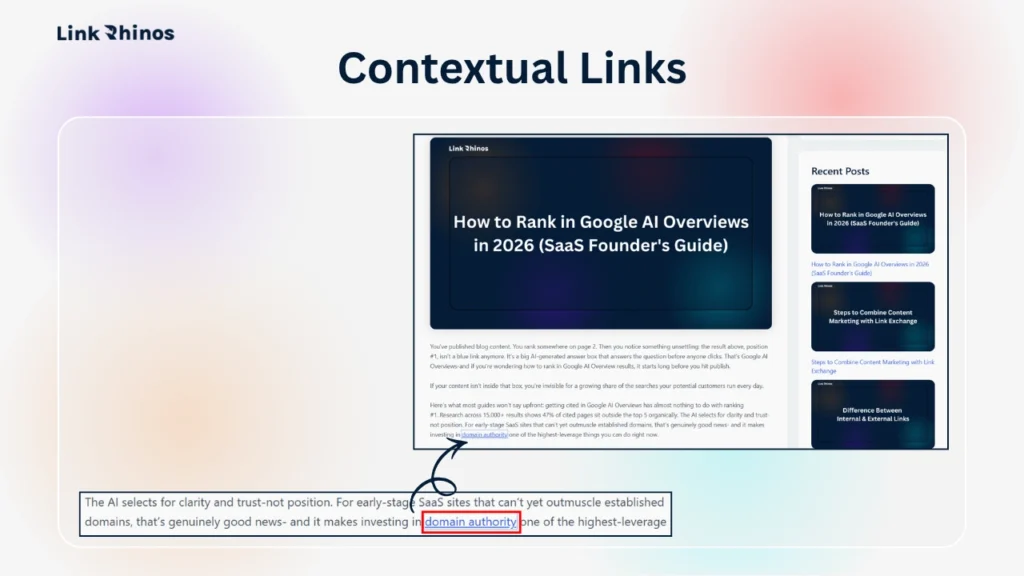
These are the most valuable of all types of internal links from an SEO perspective. They appear inside body content – within paragraphs – and carry descriptive anchor text that tells Google exactly what the destination page is about.
Because they sit inside relevant content, Google treats them as genuine editorial signals rather than structural ones. A contextual link from a relevant post passes significantly more authority and relevance than a footer or sidebar link pointing to the same page.
Breadcrumb Links
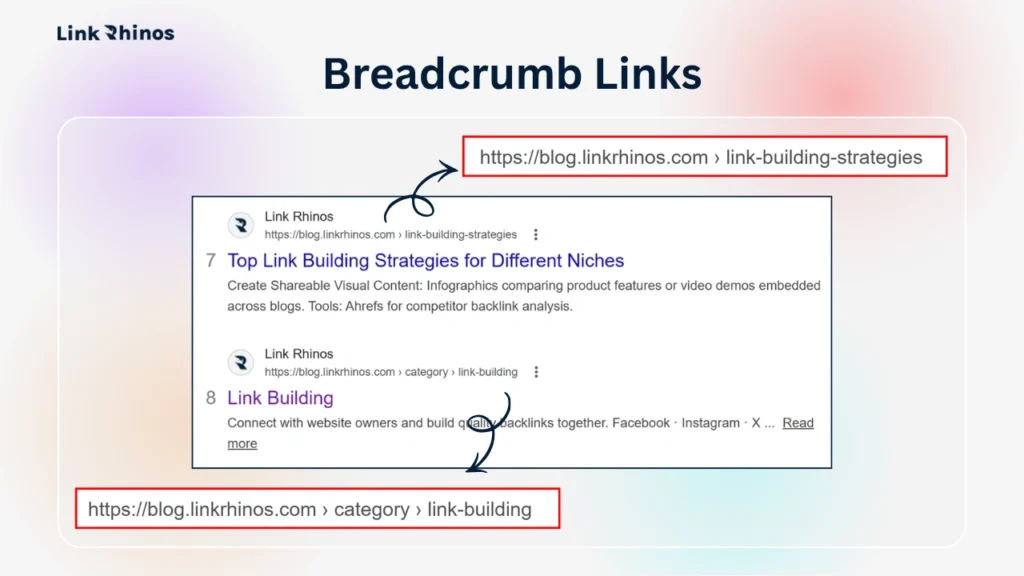
Breadcrumbs show the path to the current page – Home > Blog > SEO Strategies > This Post. Each step in that trail is an internal link.
For content-heavy sites with multiple topic categories, breadcrumbs help Google map your site hierarchy accurately. That structural clarity supports topical authority – Google understands which content sits under which topic, and that makes it easier to rank across a cluster.
Related Content Links
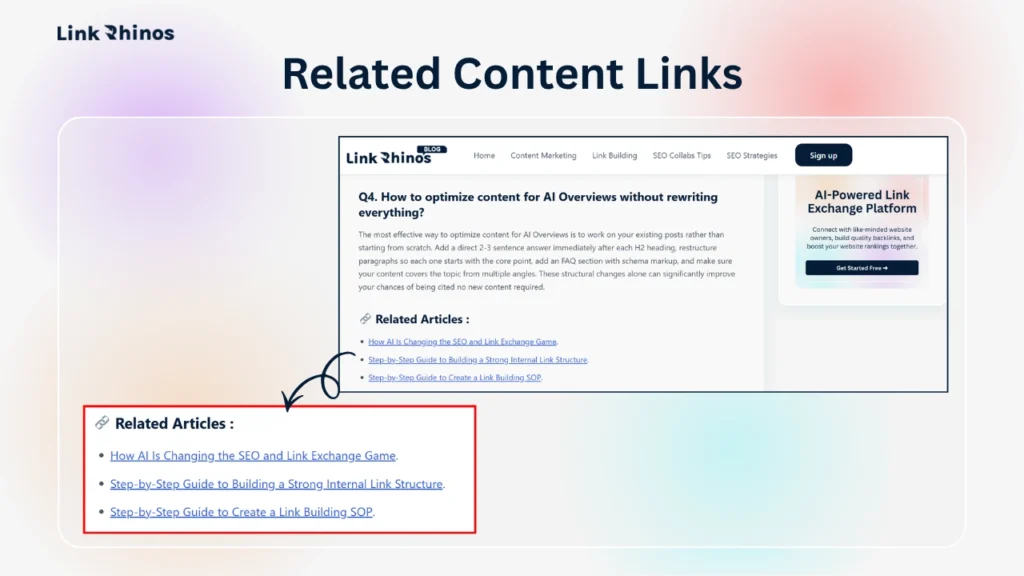
These sit at the bottom of posts and guide readers to related content, helping distribute remaining link equity while reducing bounce rate and improving on-site engagement.
They’re the easiest type to add at scale during a link audit. They work best when combined with contextual links earlier in the same post – the two types compound each other’s effect on a destination page.
Image Links
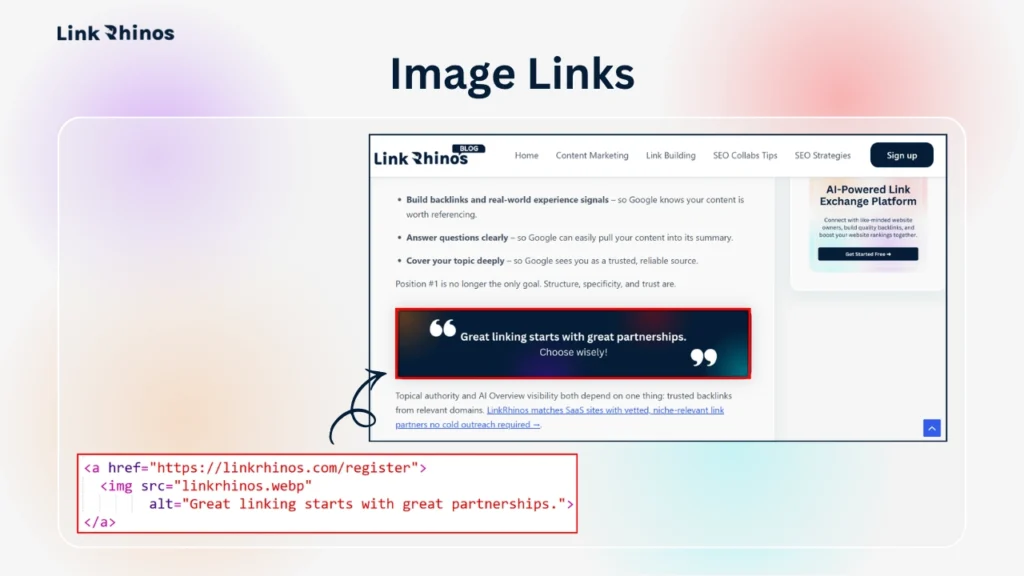
When an image on your site links to another page, that’s an internal link too – and most site owners don’t think about them this way. To create one, you simply place the img tag inside an anchor tag, making the image clickable. Google can’t read the image itself, so it uses the image’s alt text as the anchor text equivalent.
This means every linked image with a vague alt text like “image1.jpg” is a missed opportunity. Write descriptive alt text on linked images the same way you’d write anchor text for a contextual link – because Google treats it exactly the same way.
CTA and Button Links
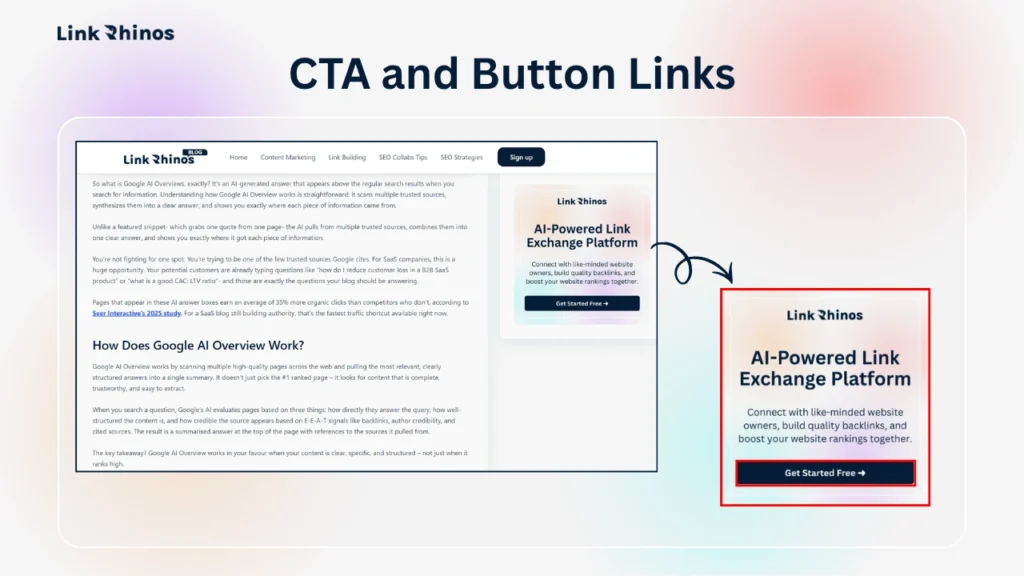
Internal links inside buttons and calls-to-action – “Read the full guide”, “See all tutorials”, “Start here” – are still internal links and still pass equity. The problem is that most CTA buttons use generic text that carries no topical signal.
“Click here” or “Learn more” tells Google nothing about the destination page. Where possible, write CTA anchor text that is specific and descriptive – “See the internal linking checklist” passes more relevance than “Read more” pointing to the same page.
How Do Internal Links Help SEO
Once you understand what is internal links and how authority moves through them, the practical impact becomes clear. Here are two concrete examples of how internal links SEO works in practice – and why the same content can rank or not rank depending purely on link structure.
Example 1: Giving New Content a Head Start
New content starts with zero backlinks. Before a single external site links to it, it has no authority of its own.
But if you internally link to it from three existing posts that already have ranking authority, it inherits a share of that equity on day one. How do internal links help seo for new pages? They remove the cold start problem. The page is already connected to authoritative content in Google’s index, which means it can start ranking faster than an isolated page with the same content.
Example 2: Reviving Underperforming Pages With No New Backlinks
Going back to your best-performing posts and adding 2–3 contextual links to related but underperforming pages is one of the fastest wins available to any site owner. No new content required. No outreach. Just a structural fix on pages that already have traffic.
One useful benchmark: on an average content site with 150+ pages, roughly 30–40% of pages have zero internal links pointing to them. Those pages are functionally orphaned. Building a proper internal link structure consistently improves crawl frequency and, over a 4–8 week period, produces ranking movement on pages that had stalled for months.
The fix doesn’t require new content or new backlinks. Just a deliberate internal link audit and a few hours of structured updates.
What is an Internal Backlink?
The term internal backlink refers to an internal link viewed from the destination page’s perspective. When Page A links to Page B, Page B receives an internal backlink from Page A.
It’s the same link – just viewed from a different angle. SEO tools and audits often report internal backlinks separately so you can see exactly how much internal link equity each page is accumulating.
Unlike external backlinks, every SEO internal link pointing at your pages is one you placed yourself. That makes internal links in SEO one of the most controllable ranking levers in your entire strategy. If a page has very few internal backlinks, Google treats it as low-priority.
Do This This Week: 3-Step Internal Link Fix
Step 1 – Find Your Orphaned Pages
Run a crawl using Screaming Frog (free up to 500 URLs), Ahrefs Site Audit, or Semrush. Filter for pages with zero internal links pointing to them.
That list is your priority. These pages are invisible to Google regardless of content quality. On most sites under 200 pages, this takes under 30 minutes – and the results are usually worse than expected.
Step 2 – Link Out From Your Strongest Pages
Identify the 5 posts or pages on your site with the most organic traffic or the most backlinks. For each one, find 2–3 pages on your site that are topically related and add a contextual link with clear, descriptive anchor text.
Don’t force placements. If there’s no natural fit, add a short, relevant paragraph that creates one. Avoid common link exchange mistakes like linking unrelated pages just to move equity – context matters to Google as much as the link itself.
Step 3 – Fix Your Anchor Text
Pull your internal links report and look for two problems: generic anchors like “click here” or “read more”, and over-optimised anchors where the same exact phrase points to the same page across 10 different posts.
Rewrite generics to be descriptive. Vary repeated anchors with natural alternatives. A solid understanding of anchor text types makes this fast – aim for descriptive and varied, not exact-match at scale.
Most sites see crawl improvements within 2–3 weeks of making these fixes, and ranking movement within 4–8 weeks.

Bottom Line
Internal links are the most consistently overlooked lever in on-site SEO – and they’re entirely within your control. Knowing what is internal links is one thing; using them deliberately across every page you publish is what actually moves rankings. Every backlink you earn works harder when the authority it brings has somewhere to travel.
Internal links SEO is not a one-time task – it compounds. Every new post is an opportunity to link to older content. The sites that treat internal linking SEO as an ongoing habit – not a one-off fix – are the ones whose authority builds consistently month over month.
Once your internal architecture is clean, the next constraint is the quality of external links pointing in. LinkRhinos matches website owners with vetted, niche-relevant link partners – no cold outreach, no guesswork, no link farms → linkrhinos.com/register.